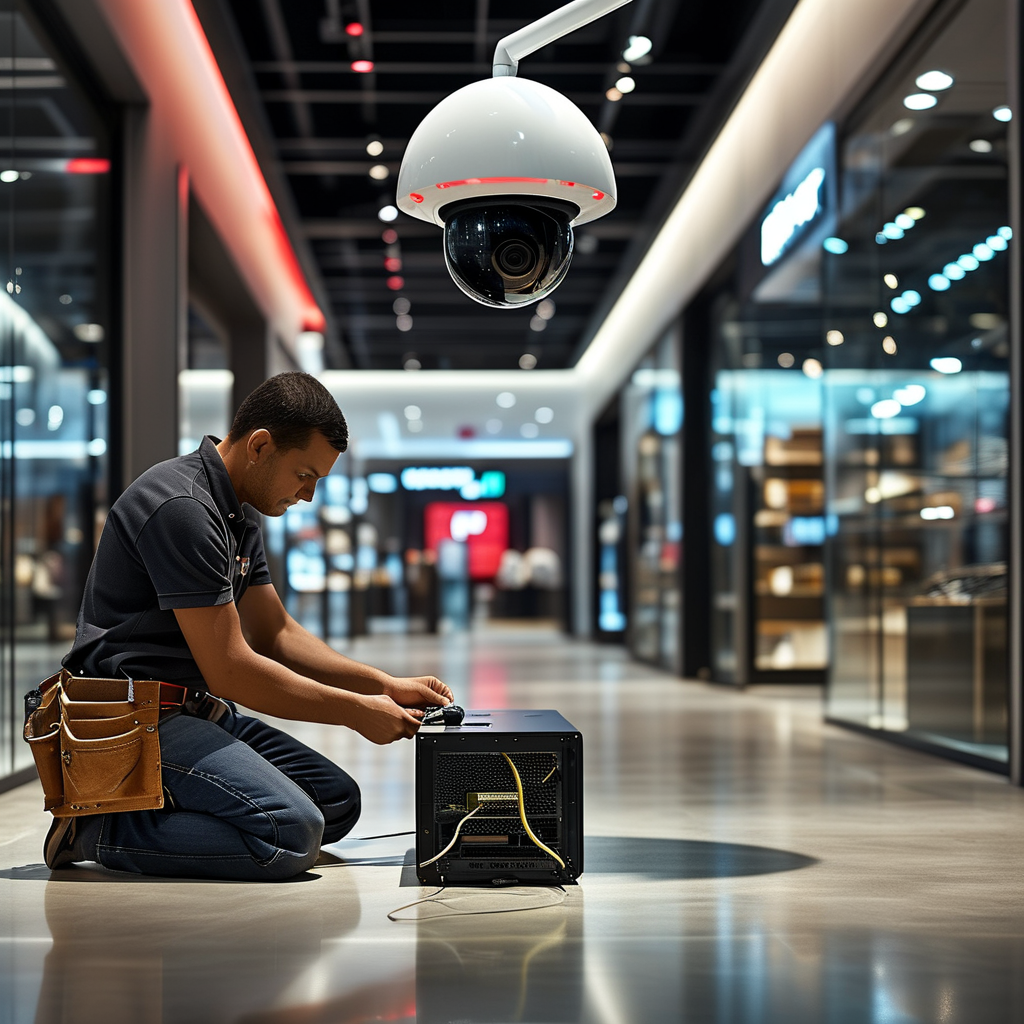
Tampa Video Surveillance Installation Guide for Retail Security
Retail businesses in Tampa face a unique set of security challenges. From shoplifting and employee theft to liability disputes and after-hours break-ins, the need for a reliable video surveillance system is no longer optional. It is a foundational element of a modern retail security strategy. However, simply purchasing cameras and pointing them at aisles is not enough. A poorly planned installation creates blind spots, wasted storage, and legal vulnerabilities. This guide, prepared by the experts at TeamLogic IT Tampa, walks you through the essential considerations for designing and deploying a professional video surveillance system for your retail operation. We focus on strategic placement, system architecture, data management, and compliance—everything you need to protect your assets, your staff, and your customers.
Video surveillance is not just about catching a thief in the act. It serves as a deterrent, a forensic tool, and a source of operational intelligence. For example, you can analyze customer traffic patterns to improve store layout, or you can verify that employees are following safety protocols. When installed correctly, a surveillance system becomes a business asset, not just a security expense. This guide is deep, practical, and tailored for Tampa’s retail environment, where heat, humidity, and hurricane season add extra layers of consideration that generic national guides often ignore.
Why Retail Surveillance is Different in Tampa
Tampa’s subtropical climate directly impacts your video surveillance installation. Outdoor cameras must be rated for high heat and direct sunlight. Indoor cameras in storefronts with large glass windows face glare and reflection challenges. Additionally, Florida’s specific laws regarding audio recording and notice requirements mean that your installation cannot be a simple plug-and-play project. Unlike a warehouse or an office building, a retail space is a public environment. You are recording members of the public who have a reasonable expectation of privacy in certain areas, such as fitting rooms and restrooms. A professional installation team understands these nuances and ensures that your coverage is both effective and legally compliant.
Another factor is the retail layout itself. A grocery store, a clothing boutique, and a convenience store have vastly different security needs. A grocery store may need overhead cameras to monitor self-checkout kiosks and produce scales. A boutique may require higher-resolution cameras to identify faces at the register. A convenience store with a drive-up window needs exterior coverage of the parking lot and the fuel pumps. Generic advice falls short here. Your video surveillance plan must be customized to your unique floor plan, inventory, and customer flow.
Pre-Installation Assessment: Mapping Your Retail Space
Before any camera is mounted, a thorough site survey is critical. This is not a task to rush. You need to walk the entire store, including stockrooms, loading docks, and exterior entrances. The goal is to identify every potential vulnerability. Ask yourself the following questions during the walkthrough:
- Where are the main entrances and exits? Are there side doors or fire exits that could be used for unauthorized access?
- Where is the cash register or point-of-sale (POS) system? What is the line of sight from the counter to the front door?
- Are there high-value displays near windows or doors where smash-and-grab theft could occur?
- Are there blind spots in the aisles created by tall shelving units or display fixtures?
- Where is the stockroom door? Is it visible from the sales floor or from any employee workstation?
- What is the layout of the parking lot? Are there exterior lights that need to be coordinated with camera placement?
- Are there any areas where a customer or employee could reasonably expect privacy? These zones must be excluded from camera coverage.
Once you have answered these questions, you can create a visual map of your store. Mark the locations of all existing security measures, such as alarm sensors, panic buttons, and mirrors. This map will serve as your blueprint for camera placement. A professional integrator, like the team at TeamLogic IT Tampa, will use this map to recommend the exact number of cameras, the lens angle, and the resolution needed for each zone. Do not rely on a "one camera per corner" approach. That method creates massive blind spots in the middle of the store.
Selecting the Right Camera Type for Retail Use
Camera technology has advanced rapidly. You are no longer limited to grainy, low-resolution analog units. Modern IP cameras deliver high-definition video that can be zoomed in digitally without losing clarity. However, not every camera is suitable for every location. Let us break down the types that work best for retail environments.
Fixed Dome Cameras: These are the most common for indoor retail use. They are discreet, blend into the ceiling, and provide a 360-degree mountable base with a fixed lens. They are resistant to tampering and dust, making them ideal for sales floors and stockrooms. The dome housing also obscures the camera’s direction, which is an effective deterrent because potential thieves cannot tell exactly where the lens is pointed.
Bullet Cameras: These are long, cylindrical units typically used for exterior coverage. They are easy to aim and are highly visible, which is a strong deterrent for parking lot crimes. They are also better at covering long, narrow spaces like a loading dock or a hallway. For Tampa’s weather, choose bullet cameras with an IP67 rating, ensuring they are sealed against dust and water ingress.
PTZ Cameras (Pan-Tilt-Zoom): These are robotic cameras that can be remotely controlled to pan across a wide area, tilt up and down, and zoom in on specific details. They are useful for large stores or warehouses, but they are not a replacement for fixed cameras. A PTZ camera is only tuned to one location at a time. It is better to have a network of fixed cameras that cover every angle, with a PTZ camera as a supplemental tool for live monitoring or incident review.
4K vs. 1080p Resolution: For retail, 4K is becoming the standard for areas where you need to identify faces or license plates. For example, a 4K camera at the entrance can capture a clear image of a person’s face as they walk in, even if they are wearing a mask. However, 4K video requires significantly more storage space. A 1080p camera is still adequate for general aisle surveillance where you only need to see the movement of a person, not their facial details. Your installer will help you balance resolution with storage costs.
Strategic Camera Placement: Where to Install for Maximum Coverage
Camera placement is more than just pointing a lens at a register. It is about creating overlapping fields of view so that there are zero gaps. Let us examine the critical zones in a typical retail store.
1. Entry and Exit Points
Every door, including fire exits, must be covered. Place one camera directly above each door, angled slightly downward to capture a person’s face as they enter. Place a second camera further inside the store, looking back at the door. This dual-angle approach captures the front of a person as they enter and the back of them as they leave. This is crucial for identifying suspects who are wearing hats or hoods. For exterior doors, consider a camera with a housing that protects against rain and direct sunlight. Tampa’s summer thunderstorms can create water streaks on lenses if not properly shielded.
2. Point of Sale (POS) and Cash Register Areas
The POS is the highest-risk area for internal theft, over-ringing, or sweethearting (where an employee does not scan items). You need a dedicated camera directly above the register, angled to show the transaction screen, the keypad, and the customer’s hands. A second camera at counter level, positioned behind the register, can capture the customer’s face and body language. This is also useful for resolving disputes where a customer claims they were overcharged or that an employee was hostile. Ensure the camera view is not blocked by signage, credit card pin pads, or stacked merchandise.
3. High-Value Display Cases
For items like electronics, jewelry, handbags, or liquor, place a camera within 10 to 15 feet of the display. The lens should be zoomed in enough to see the details of the product, but wide enough to capture the hands and arms of anyone reaching inside. If the display case is near a window, beware of glare from the sun. A professional installer will position the camera to minimize backlighting, or they may recommend a camera with wide dynamic range (WDR) to balance the bright window light with the darker interior of the case.
4. Stockroom and Loading Dock
Internal theft often occurs in the back office or stockroom. Install cameras at the entrance and exit of the stockroom. Also, cover the area where deliveries are received. A camera should capture the delivery person, the person signing for the package, and the actual goods being moved. This protects you from false claims of missing shipment. In the loading dock, use a bullet camera with a long lens to cover the full length of the truck bed. Ensure the camera is mounted high enough to avoid damage from forklifts or pallet jacks.
5. Fitting Rooms and Restrooms
This cannot be stressed enough: Do not install cameras in fitting rooms or restrooms. It is illegal and will expose you to severe liability, including lawsuits and criminal charges. Instead, position cameras outside the fitting room entrances, capturing the hallway and the doors. This allows you to see who enters and exits, and to track the number of items taken into a room versus the number brought out. If you notice a customer going in with five shirts and leaving with two, your staff can be alerted. The same logic applies to restroom entrances—cover the hallway, not the interior.
6. Exterior Parking Lot
Exterior coverage is essential for incidents that occur after hours, such as vandalism or theft from vehicles. Mount cameras on the building eaves, angled outward to cover the parking stalls. Use cameras with infrared (IR) or low-light capabilities for night vision. In Tampa, the high humidity can cause lens fogging. Look for cameras with built-in heaters and blowers. Also, ensure the cameras are positioned to avoid looking directly into the rising or setting sun, which can wash out the image. Coordinate camera placement with your existing exterior lighting. A well-lit parking lot enhances camera performance and is a deterrent in itself.
Network Infrastructure and Bandwidth Requirements
Your video surveillance system will likely be a network of IP cameras, each sending data over your local network. This requires a robust network switch, a dedicated server or network video recorder (NVR), and adequate bandwidth. A common mistake is installing cameras on a flat network that is shared with your POS system, your Wi-Fi, and your back-office computers. Video streams are data-heavy and can clog your network, causing slow transactions or dropped connectivity. A professional installer will create a separate virtual LAN (VLAN) for the cameras, isolating the video traffic from the rest of your business operations.
You also need to consider the cabling. Even though wireless cameras exist, for a permanent retail installation, hardwired Ethernet (Cat6) is the recommended choice. Wireless is susceptible to interference from microwaves, cordless phones, and even passing vehicles with Bluetooth devices. Hardwired connections provide a stable, consistent feed and do not compete for Wi-Fi bandwidth. The cabling should be run through conduit or plenum-rated pathways to comply with fire codes. In Tampa, this is particularly important due to hurricane-related building codes. Your installer should be familiar with the local commercial building regulations.
Bandwidth is not just about your internal network. If you plan to view live footage remotely from your phone or a central monitoring station, your internet connection must have sufficient upload speed. A single 4K camera can require 8 to 12 Mbps of upload bandwidth. If you have ten cameras, you are looking at 80 to 120 Mbps just for video. This may exceed the capacity of a standard cable business connection. Consider fiber internet or a dedicated line for surveillance purposes. TeamLogic IT Tampa can assess your current internet plan and recommend upgrades that align with your surveillance needs without overspending.
Storage, Retention, and Data Management
How long you keep video footage is a critical business decision. Many retailers keep footage for 30 to 90 days, depending on insurance requirements and franchise agreements. However, longer retention means more storage hardware. There are two primary storage options:
Local Storage (NVR or DVR): This is a physical device on your premises that records video from all cameras. It is simple, reliable, and does not depend on your internet connection for recording. However, a thief could steal the NVR along with your merchandise if it is not locked in a secure room. For this reason, an NVR should be stored in a locked closet or a server rack. You should also have a backup plan, such as cloud storage or an external drive, for critical footage.
Cloud Storage: Cloud-based surveillance has become increasingly popular. Video is streamed directly to a secure offsite data center. This provides peace of mind in case of theft, fire, or flood damage. It also allows for easy remote viewing from any device. The downside is recurring subscription costs and the need for reliable internet upload speeds. A hybrid model is often best: record locally on an NVR for immediate access and redundancy, and also send a copy of critical events (like motion triggers) to the cloud for long-term archival.
Your storage capacity will be determined by the number of cameras, the resolution, the frame rate (frames per second, or fps), and the amount of motion in the scene. A busy street-facing camera will record more data than a quiet stockroom camera. Your installer should calculate the required storage capacity based on your specific settings. A common mistake is overestimating storage needs, leading to excessive hardware costs, or underestimating, resulting in overwritten footage during a critical investigation. Work with a professional to set a retention policy that balances cost and legal exposure.
Legal and Privacy Considerations for Florida Retailers
Florida law generally allows video surveillance in public areas of a business, such as the sales floor, without the consent of customers, as long as there is no audio recording. However, recording audio without consent is illegal in Florida. This is a two-party consent state. That means you must have the consent of all parties being recorded if audio is captured. To avoid this legal minefield, it is strongly recommended that your cameras do not record sound. If you must have audio for a specific security reason, you must post clear signage stating that audio surveillance is in progress.
Regarding notice to the public, Florida does not explicitly require signage for video-only surveillance in a retail store. However, best practice is to post a notice at the entrance stating that video surveillance is active. This serves as a deterrent and protects you from accusations of hidden surveillance. Additionally, if you have employees, you must provide them with a written notice of your surveillance policy. Under Florida law, private employers can use video surveillance in the workplace, but not in areas where employees have a reasonable expectation of privacy, such as restrooms, changing rooms, or locker rooms. A professional installation avoids these areas entirely.
There is another legal consideration: the storage of footage. Video files may become evidence in a criminal investigation or a civil lawsuit. You have a duty to preserve relevant footage if you receive a subpoena or a legal hold notice. You should have a policy in place for how to archive footage that is potentially relevant to a dispute. A managed surveillance system can automate the retention of flagged events. Your IT provider can assist you in establishing these policies.
Maintenance and Ongoing Support
A video surveillance system is not a set-it-and-forget-it installation. Cameras accumulate dust, spider webs, and salt spray from Tampa’s coastal air. Lenses can become misaligned due to vibration from nearby traffic or HVAC units. Over time, firmware becomes outdated, creating security vulnerabilities. Without routine maintenance, your system will degrade silently, and you will only discover problems when you need a critical clip and find it is blurry or missing.
Schedule quarterly inspections of every camera. Clean the lenses, verify the field of view, and test the recording. Check the NVR or cloud server for error logs. Ensure that the time stamps on your cameras are accurate, because incorrect time stamps can make footage inadmissible in court. Also, verify that your backup power system is functioning. In Florida, power outages are common during hurricane season. A surveillance system without an uninterruptible power supply (UPS) will go dark at the exact moment you need it most. Professional installers will integrate your cameras with your battery backup and generator systems.
Remote monitoring is another maintenance feature. Your IT provider can monitor the health of your cameras, alerting you if a camera goes offline, if the storage is filling up, or if there is a network failure. This proactive approach ensures that you are always recording. It is far better to receive a text message that a camera is down than to discover it weeks later during a theft investigation.
Integration with Other Retail Security Systems
Video surveillance works best when it is part of a larger security ecosystem. You should integrate your cameras with your alarm system, your access control system, and your point-of-sale system. For example, when an employee swipes their badge to enter the stockroom, the access control system can trigger a camera to start recording. When an alarm sensor detects a door opening after hours, the surveillance system can automatically switch on and send a live feed to your security monitoring service.
POS integration is particularly powerful. You can link the video footage from your POS camera with the transaction data from your cash register. This allows you to search for a specific transaction and instantly pull up the corresponding video. This is invaluable for investigating chargebacks, employee dishonesty, or customer claims of erroneous charges. A professional installer can set up this integration, but it requires that your POS software has an open API (application programming interface). Many modern POS systems such as Lightspeed, Shopify, and Vend have this capability. TeamLogic IT Tampa can help you determine if your system supports this integration.
Remote Viewing and Mobile Access
You should not have to be physically present in your store to check on it. A professional installation includes secure remote access via a mobile app or a web portal. You can view live feeds from your smartphone, take snapshots, or review recorded footage. This is essential for store managers who own multiple locations, or for owners who want to check in after hours.
However, remote access is a double-edged sword. If your system is not properly secured, hackers can gain access to your cameras and watch your store, or worse, use them as a gateway into your business network. Cybersecurity is paramount. For this reason, you should never port-forward your camera system directly to the internet. Instead, use a modern NVR that supports secure peer-to-peer connections, or use a VPN (Virtual Private Network) to access your surveillance network. Your IT provider should enforce strong passwords, multi-factor authentication, and automatic firmware updates on all cameras. A breach of your surveillance system is not just a privacy violation; it can expose your customers’ data and your own proprietary information.
How TeamLogic IT Tampa Can Help
Executing a comprehensive video surveillance installation in Tampa is a complex project that requires local expertise, electrical knowledge, network engineering skills, and a deep understanding of retail operations. At TeamLogic IT Tampa, we offer end-to-end video surveillance and security services tailored to retailers across the greater Tampa Bay area. We begin with a detailed site survey and risk assessment. Then we design a camera map, specify the hardware, handle the installation, and configure your network and storage. We also provide ongoing maintenance and managed IT services to ensure your surveillance system remains online, secure, and effective for years to come.
Our technicians are familiar with local building codes, hurricane preparation protocols, and the specific challenges of Florida’s retail climate. We do not sell generic packages. We build custom solutions around your store’s layout, your inventory risk, and your budget. Furthermore, if you need to integrate surveillance with your data backup and recovery plan or your cybersecurity framework, our team is uniquely qualified to handle that convergence. We have worked with retail outlets, restaurants, and medical offices throughout Tampa, St. Petersburg, Clearwater, Brandon, and surrounding areas, as referenced in our service area listings.
Actionable Steps for Your Retail Security Upgrade
If you are ready to move forward with a professional video surveillance installation, follow these steps to get started:
- Conduct an initial self-assessment of your store, noting all entrance points, high-value displays, and existing security measures. Document any incidents you have experienced in the past, such as shoplifting incidents or break-ins.
- Identify your budget for hardware, installation, and ongoing data storage. Be prepared to discuss this with a security professional who can help you prioritize spending.
- Contact a reputable provider, like TeamLogic IT Tampa, for a free consultation. During this meeting, ask about camera resolution, frame rate, and storage calculations. Do not be afraid to ask for references from other Tampa retailers.
- Verify that your chosen installer has experience with commercial retail environments and is licensed and insured for electrical work. In Florida, low-voltage installation may require a specific contractor’s license.
- Determine who will monitor the system. Will it be your own staff, a third-party monitoring service, or will you use remote viewing with a mobile app? This decision impacts the complexity of the installation.
- Plan for future expansion. Your camera network should have spare PoE (Power over Ethernet) ports on the switch, and your NVR should have additional hard drive bays. It is cheaper to oversize the infrastructure now than to rewire later.
Common Pitfalls to Avoid
In our years of installation work, we have seen retailers waste money due to a few recurring mistakes. Learn from them to avoid the same fate.
Purchasing the cheapest cameras on an online marketplace: These units often fail within months, have poor night vision, and lack manufacturer support. You will replace them twice, costing more in the long run. Invest in established brands like Axis, Hikvision, or Bosch, which offer professional-grade warranty and software updates.
Ignoring the lighting conditions: A camera mounted in a dark stockroom with a single overhead light will produce useless footage. Install supplemental lighting or choose cameras with powerful IR illuminators. Then test the camera at 2 a.m., not just at 2 p.m.
Placing cameras too high or too low: Cameras mounted too high capture the tops of heads, not faces. Cameras mounted too low are easily vandalized or blocked by passing customers. The optimal height for a dome camera is 9 to 12 feet, angled down at 15 to 20 degrees.
Not reviewing footage proactively: A camera that records 24/7 is useless if you never watch the playback. Set aside time weekly to review motion events. Look for suspicious behavior, not just theft. You might notice a customer testing door handles near the exit, or an employee lingering near the stockroom door. Proactive review is your best defense.
Failing to secure the network: A surveillance system that shares the same network switch as your customer Wi-Fi is a security nightmare. Guest Wi-Fi and camera traffic should be separated. Your IT provider should configure VLANs and firewall rules to prevent lateral movement from an infected guest device to your camera server.
The Value of Professional Installation Over a Do-It-Yourself Approach
While some retailers are tempted to save money by purchasing consumer kits and installing them themselves, the result is almost always inadequate. Consumer cameras have poor recording quality, limited storage, and no professional support. They also lack the rugged housings required for outdoor Tampa weather. More importantly, a do-it-yourself installation often fails to consider the legal nuances of recording in a public space. A misplaced camera in a fitting room is not just a mistake; it is a crime. Professional installers have the training to avoid these fatal errors.
Professional installation also includes a warranty and ongoing service. If a camera fails, you have a local team to call. If you need to extend your storage, they can upgrade your NVR. If you want to add a new camera in a remodeled section of the store, they have the existing network diagrams and cabling plans. This long-term partnership is invaluable for the safety of your business.
Furthermore, insurance companies in Florida are becoming stricter about security requirements. Many commercial liability policies now require a documented, professionally installed surveillance system to qualify for a lower premium. By working with a certified provider, you can provide proof of installation and system maintenance, which may reduce your insurance costs over time.
Preparing for the Future: AI and Analytics in Retail Surveillance
The next generation of video surveillance is not just about recording; it is about intelligent analytics. Modern systems can detect when a person enters a restricted area, when a crowd gathers, or when an object is left unattended. Some systems use facial recognition to identify known shoplifters. While this technology is powerful, it also raises privacy concerns. You need to balance the benefits of analytics with the rights of your customers and employees.
Start with a simpler form of analytics: motion detection and line-crossing detection. These are highly accurate and do not require large amounts of processing power. For example, you can set an alert if someone crosses a virtual line near your high-value electronics case after hours. You can also set up heat mapping to understand which aisles receive the most traffic, helping you with merchandising decisions. As you become more comfortable with analytics, you can add features such as license plate recognition for your parking lot, which can automatically flag vehicles that have been involved in past incidents.
However, these advanced features require a modern camera system with sufficient onboard processing power. If you are installing a new system, choose cameras that support edge-based analytics rather than relying on a central server. This will reduce the load on your network and allow for faster response times. Your installer should be able to demo these features for you before you purchase.
Conclusion and Next Steps
Implementing a video surveillance system for your Tampa retail store is a significant investment, but it is one that pays dividends in loss prevention, employee accountability, and operational insights. The key to success is a professional, site-specific design that accounts for Tampa’s unique climate,